ReluxDesktop – General road
Learn how to insert a general / generic road into ReluxDesktop.
Inserting a General Road
In outdoor projects, one frequently encountered problem is that of having to insert a rectangular measuring surface in a road that runs at an angle. The following method is particularly suitable if you are working with CAD plans or background images.

To add a new measuring surface, go to " Insert" > "Measuring object" > "General road" .
You make your entry with three clicks of the mouse.
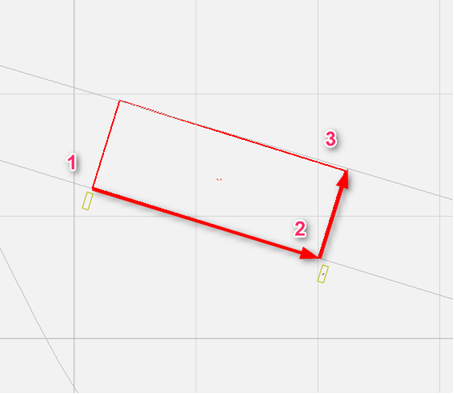
1-2 defines the length of the measuring surface and the longitudinal direction of the road. 2-3 defines the width of the road.
The grid is aligned to the longitudinal axis.
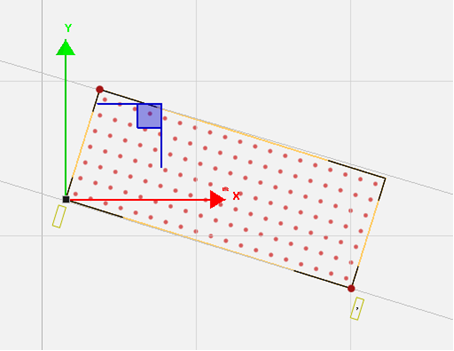
This measuring surface can naturally be used for other things apart from roads.